The VoiceOver Community
  • Community
    • Home
    • About
    • Members
    • Membership & Account
    • General Rules
    • Newsletter Signup
  • Community Magazine
    • Front Page
    • Features
      • VO Coach Notes
    • Podcasts
  • Learning Lounge
    • Learning Lounge
    • Marc Preston’s Voiceover Workout
  • Social Lounges
    • Community Lounge
    • Local Lounges
  • Showcase & Casting
    • Talent Showcase
    • Casting Call
  • Resources
    • Community Calendar
    • Resource Directory
    • Studio Finder
  • Studio & Gear
    • Gear Exchange
  • Community
    • Home
    • About
    • Members
    • Membership & Account
    • General Rules
    • Newsletter Signup
  • Community Magazine
    • Front Page
    • Features
      • VO Coach Notes
    • Podcasts
  • Learning Lounge
    • Learning Lounge
    • Marc Preston’s Voiceover Workout
  • Social Lounges
    • Community Lounge
    • Local Lounges
  • Showcase & Casting
    • Talent Showcase
    • Casting Call
  • Resources
    • Community Calendar
    • Resource Directory
    • Studio Finder
  • Studio & Gear
    • Gear Exchange

Archives: Tutor Course Bundle

Audacity for Audiobook Narrators Series | Course Bundle

Audacity for Audiobooks

Optimize your ACX audiobook narration and production workflow with George Whittam! 

Audiobook narration for ACX can be arduous, with long days in the booth, and even longer days editing. Add to that sometimes-tight deadlines for publishers and it can be daunting to keep up! George Whittam has methods to record, edit, proof, and master an audiobook recording that will maximize your productivity, and minimize errors and audio flaws.

Agenda:

  • Introduction, Goals, and Agenda
  • Anything useful that’s new in the latest Audacity? 
  • Important default settings to modify
  • Using keyboard shortcuts
  • Customizing layout for efficiency
  • Organizing files and folders
  • Mic technique and acoustics
  • Acceptable noise levels
  • Setting the best recording levels (then forget it!)
  • Recording techniques: Straight record, clicker, Punch and Roll and Punch-in Insert
  • Processing plugins to remove noises: Mouth, equipment, and environmental 
  • The QRX sheet, keeping track of corrections (template provided) 
  • Working with a proofer
  • Editing in pickups
  • Mastering workflows
  • Mastering to publisher specs with Macros (Starter Macro provided)
  • VIP Q&A

Audacity Effects for Voice- Dynamics, EQ and NR 2024

Learn the best free processing tools for Audacity for voice acting and podcasting, including Nyquist and Muse Effects!

George delves into the intricacies of using Audacity’s effects for voice dynamics, EQ, and noise reduction in 2024. The webinar covers why effects matter, introduces Audacity and its plugins, and provides recommended preferences for ease of use. George highlights new features in Audacity 3.7, compares native and Nyquist plugins, and explores OpenVINO AI-powered plugins. Key topics include dynamics effects, EQ techniques, noise reduction essentials, mouth noise declicking solutions, and combining effects in a macro. Also included is a practical demonstration using a sample WAV file from a participant, illustrating the impact of each effect and culminating in the creation of an efficient macro for audio processing.

Audacity, known for its simplicity and powerful features, is the perfect tool to bring professional-level sound to your projects—without breaking the bank. With George leading the way, you’ll discover how its intuitive interface and built-in effects make learning and applying advanced techniques both accessible and fun. This webinar isn’t just about theory; it’s a hands-on exploration of practical workflows and insider tricks to enhance clarity, balance levels, and eliminate unwanted noise. You’ll hear these tools in use and learn What It’s Supposed To Sound Like!

Prerequisites:

  • Currently an Audacity user with some basic experience, or…
  • Take our Audacity for Beginners course
  • Windows or Mac user

Agenda:

-Introduction to Audacity, how is it free??

-Installing Audition 3

-What’s new in Audacity 3

-Using Audacity in “Rosetta mode” on Mac M1 

-Configuring your audio hardware

-Preferences overview

-Recording and quality settings, why Mono? 

-Track settings, there are hidden gems here 

-View: Toolbars to view/hide

-Arrange your toolbars

-Learning the user interface 

-Waveform vs Spectral views

-Handy keyboard shortcuts

-Recording audio and setting levels with the meter

-Basic editing tools

-FX plugins, what they are, what comes with Audacity, how to get more

-Macro basics, how to import my settings (one basic Macro template included) 

-File formats for saving, MP3 settings

TwistedWave for Audiobook Narrators Series | Course Bundle

This course bundle includes the following courses:

TwistedWave for Audiobooks

Optimize your audiobook narration and production workflow with George Whittam!

Audiobook narration can be arduous, with long days in the booth, and even longer days editing. Add to that sometimes tight deadlines for publishers and it can be daunting to keep up!

George Whittam has methods to record, edit, proof, and master an audiobook recording that will maximize your productivity, and minimize errors and audio flaws.

In this crazy time-shifted world, if you can’t make it live, don’t worry! The entire presentation will be available for review or rental afterward.

Agenda:

* Mic technique

* Organizing files and folders

* Setting the best recording levels (then forget it!)

* Recording techniques: Straight record, clicker, Punch and Roll and Punch-in Insert

* Using Stacks

* Analyzing audio

* Working with a proofer

* Batch processing with Stacks, automating mastering

* Voice to Text to assist proofing

* Adding plugins clean up mouth noise

* Mastering to publisher specs

* Q&A

TwistedWave Dynamics

Dig in to dynamics with George Whittam!

George will walk you through the essentials of dynamics processing in TwistedWave, focusing on Apple’s built-in audio units. Learn to control audio from very quiet to very loud using tools like normalize, dynamics processor, multiband compressor, and peak limiter. Understand how these plugins work, how to adjust them, and how they affect your audio. 

Perfect for voiceover artists, musicians, and audio enthusiasts looking to polish their sound. Learn how to use compressors, downward expanders, and limiters to your maximum benefit.

Plugins covered include:

AUDynamics

AUPeakLimiter

Agenda:

00:00 Introduction to TwistedWave Dynamics Processing

00:38 Exploring Apple Audio Unit Plugins

01:16 Overview of Dynamics Processing Tools

02:08 Recording and Normalizing Audio

04:05 Understanding Peak and RMS Normalization

08:08 Introduction to Compressors and Limiters

08:38 Using the Dynamics Processor

12:13 Experimenting with Compression Settings

22:14 Exploring the Expander Function

31:50 Peak Limiter Explained

38:22 Conclusion and Upcoming Modules

TwistedWave Equalizers

Get the rundown on how to use specific processing tools in your software, starting with how to use the equalizers, the tone controls, and the EQ settings for TwistedWave for Mac OS.

Join George as he provides a detailed tutorial on using various EQ (equalizer) settings and tone controls in TwistedWave for Mac OS. Discover the effects menu and built-in audio units plugins that come with every Mac, including AU Filter, AU Graphic EQ, AU High Pass, AU N Band EQ, AU Parametric EQ, and AU Multiband Compressor. Learn the functions and applications of each tool, from basic adjustments to more advanced techniques, to enhance your audio recordings.

Agenda:

00:00 Introduction to Audio Processing Tools

00:30 Exploring Built-in Mac Audio Plugins

02:28 Understanding the AU Parametric EQ

08:44 Mastering the High Pass Filter

15:54 The Low Pass Filter Explained

16:42 Getting Familiar with the Graphic EQ

23:30 Diving into the N Band EQ

32:23 Discovering the AU Filter

36:26 Bonus: Multiband Compressor Overview

38:15 Conclusion and Upcoming Videos

Adobe Audition for Audiobook Narrators Series | Course Bundle

This course bundle includes the following courses:

Adobe Audition for Audiobooks 2024 

Optimize your ACX audiobook narration and production workflow with George Whittam!

Recording and editing an audiobook for ACX can be quite the challenge! You might find yourself spending long hours in the booth and even longer ones polishing your recordings. When you throw in tight deadlines from publishers, it can really keep you on your toes!

Luckily, George Whittam has developed some fantastic techniques to help you record, edit, proof, and master your audiobook recordings efficiently, minimizing mistakes and audio issues.

Prerequisites:

  • none

Agenda:

  • Introduction, Goals, and Agenda
  • Important default settings to modify
  • What’s useful in the latest version in 2024 (if anything!)
  • Using keyboard shortcuts
  • Customizing layout for efficiency
  • Organizing files and folders
  • Mic technique and acoustics
  • Acceptable noise levels
  • Setting the best recording levels (then forget it!)
  • Recording techniques: Straight record, clicker, Punch and Roll and Punch-in Insert
  • Processing plugins to remove noises: Mouth, equipment, and environmental 
  • The QRX sheet, keeping track of corrections (template provided) 
  • Working with a proofer
  • Editing in pickups
  • Mastering workflows
  • Mastering to publisher specs with Racks and Batches (Starter Rack provided)

Adobe Audition Dynamics 

Learn to use all of the dynamics processing plugins included with Adobe Audition CC (2017 and newer). Dynamics processing controls how much your voice and room tone will change in volume from the loudest to the softest sounds. For example: You can keep those “spikes in your waveform” at bay with a compressor, tame sibilance with a de-esser, and make the finished audio sound louder with a limiter.

George will show you how to tune each plugin with examples you can hear in full studio quality.

You’ll know how to set your plugins quickly for good results, and have a better understanding of what controls in each plugin down and how they affect the sound.

Here are all of the different dynamics plugins you’ll learn in this training module:

  • Amplify

  • De-esser

  • Dynamics

  • Dynamics Processing

  • Fade Envelope

  • Gain Envelope

  • Hard Limiter

  • Multiband Compressor

  • Normalize

  • Single-band Compressor

  • Speech Volume Leveler

  • Tube-modeled Compressor

Adobe Audition Equalizers

Learn to use all of the equalizer and tone processing plugins included with Adobe Audition CC (2017 and newer). EQ processing controls how different parts of your voice sound, from low chest resonance to crips detail. For example: Reduce annoying “rumble” with a high-pass filter, add richness to the voice with a graphic EQ, and make surgical adjustments with a parametric EQ. 

George will show you how to tune each plugin with examples you can hear in full studio quality.  You’ll know how to set your plugins quickly for good results, and have a better understanding of what controls in each plugin down and how they affect the sound. 

Here are all of the different EQ plugins you’ll learn in this training module:

  • FFT Filter

  • Graphic EQ (10, 20, and 30 bands)

  • Notch Filter

  • Parametric EQ

  • Scientific Filter

  • Mastering EQ

  • Vocal Enhancer

  • Bonus: Multiband Compressor (a secret EQ!)

Audacity for Voiceover Series | Course Bundle

This course bundle includes the following courses:

Audacity – Beginners Guide to VO Recording 2022

Learn George’s favorite methods for recording, editing and processing your voiceovers with the much loved, and still free, Audacity recording software. 

While much hasn’t changed about the user interface in many years (one of the many beauties of Audacity), there are quite a few features that have surfaced in the last few years that we’ll cover, along with the “getting started” basics.

This webinar is intended for any voice actor who would like to start using Audacity with no audio recording experience. George will cover topics specific to the needs of voice actors or anyone recording spoken work. This webinar does not cover multi-track recording production techniques for music, podcasts or video post (but those are to come!)

Agenda:

-Introduction to Audacity, how is it free??

-Installing Audition 3

-What’s new in Audacity 3

-Using Audacity in “Rosetta mode” on Mac M1

-Configuring your audio hardware

-Preferences overview

-Recording and quality settings, why Mono?

-Track settings, there are hidden gems here

-View: Toolbars to view/hide

-Arrange your toolbars

-Learning the user interface

-Waveform vs Spectral views

-Handy keyboard shortcuts

-Recording audio and setting levels with the meter

-Basic editing tools

-FX plugins, what they are, what comes with Audacity, how to get more

-Macro basics, how to import my settings (one basic Macro template included)

-File formats for saving, MP3 settings

-30 mins of Q n A

Audacity – Advanced Guide to VO Recording 2022

Learn the more advanced tools available in Audacity 3!

Get faster at preparing your files for casting or clients.

Bend Audacity to your will!

This webinar is intended for any voice actor who wants to start using Audacity with no audio recording experience. George will cover topics specific to the needs of voice actors or anyone recording spoken work. This webinar does not cover multi-track recording production techniques for music, podcasts, or video post (but those are to come!)

Agenda:

00:00 Introduction to George Whittam

01:47 Welcome and Class Overview

09:45 Optimizing Audacity Layout for Voiceover

15:10 Comparing Recording Techniques

22:23 Punch and Roll Method Explained

42:27 Understanding Noise Floor

50:06 Understanding Spectrograms

50:36 Exploring Display Modes

52:38 Measuring Room Tone

55:46 Introduction to Macros

55:57 Setting Up Macros

01:02:52 Macro Commands and Parameters

01:08:53 Using High Pass Filters

01:15:35 Compressor Settings

01:20:14 Noise Gate Adjustments

01:25:38 Equalization Techniques

01:29:21 Limiter Settings

01:36:00 Shortcuts and Efficiency Tips

01:39:19 Missing Features in Audacity

01:40:10 Exploring Free EQ Alternatives

01:46:54 Mastering for Auditions

01:51:14 Mastering for Audiobooks

01:56:38 Mastering for Podcasts

01:59:51 Q&A Session

02:23:09 Closing Remarks and Resources

Audacity Effects for Voice – Dynamics, EQ and NR 2024

Learn the best free processing tools for Audacity for voice acting and podcasting, including Nyquist and Muse Effects!

George delves into the intricacies of using Audacity’s effects for voice dynamics, EQ, and noise reduction in 2024. The webinar covers why effects matter, introduces Audacity and its plugins, and provides recommended preferences for ease of use. George highlights new features in Audacity 3.7, compares native and Nyquist plugins, and explores OpenVINO AI-powered plugins. Key topics include dynamics effects, EQ techniques, noise reduction essentials, mouth noise declicking solutions, and combining effects in a macro. Also included is a practical demonstration using a sample WAV file from a participant, illustrating the impact of each effect and culminating in the creation of an efficient macro for audio processing.

Audacity, known for its simplicity and powerful features, is the perfect tool to bring professional-level sound to your projects—without breaking the bank. With George leading the way, you’ll discover how its intuitive interface and built-in effects make learning and applying advanced techniques both accessible and fun. This webinar isn’t just about theory; it’s a hands-on exploration of practical workflows and insider tricks to enhance clarity, balance levels, and eliminate unwanted noise. You’ll hear these tools in use and learn What It’s Supposed To Sound Like!

Prerequisites:

  • Currently an Audacity user with some basic experience, or…
  • Take our Audacity for Beginners course
  • Windows or Mac user

Agenda:

-Introduction to Audacity, how is it free??

-Installing Audition 3

-What’s new in Audacity 3

-Using Audacity in “Rosetta mode” on Mac M1 

-Configuring your audio hardware

-Preferences overview

-Recording and quality settings, why Mono? 

-Track settings, there are hidden gems here 

-View: Toolbars to view/hide

-Arrange your toolbars

-Learning the user interface 

-Waveform vs Spectral views

-Handy keyboard shortcuts

-Recording audio and setting levels with the meter

-Basic editing tools

-FX plugins, what they are, what comes with Audacity, how to get more

-Macro basics, how to import my settings (one basic Macro template included) 

-File formats for saving, MP3 settings

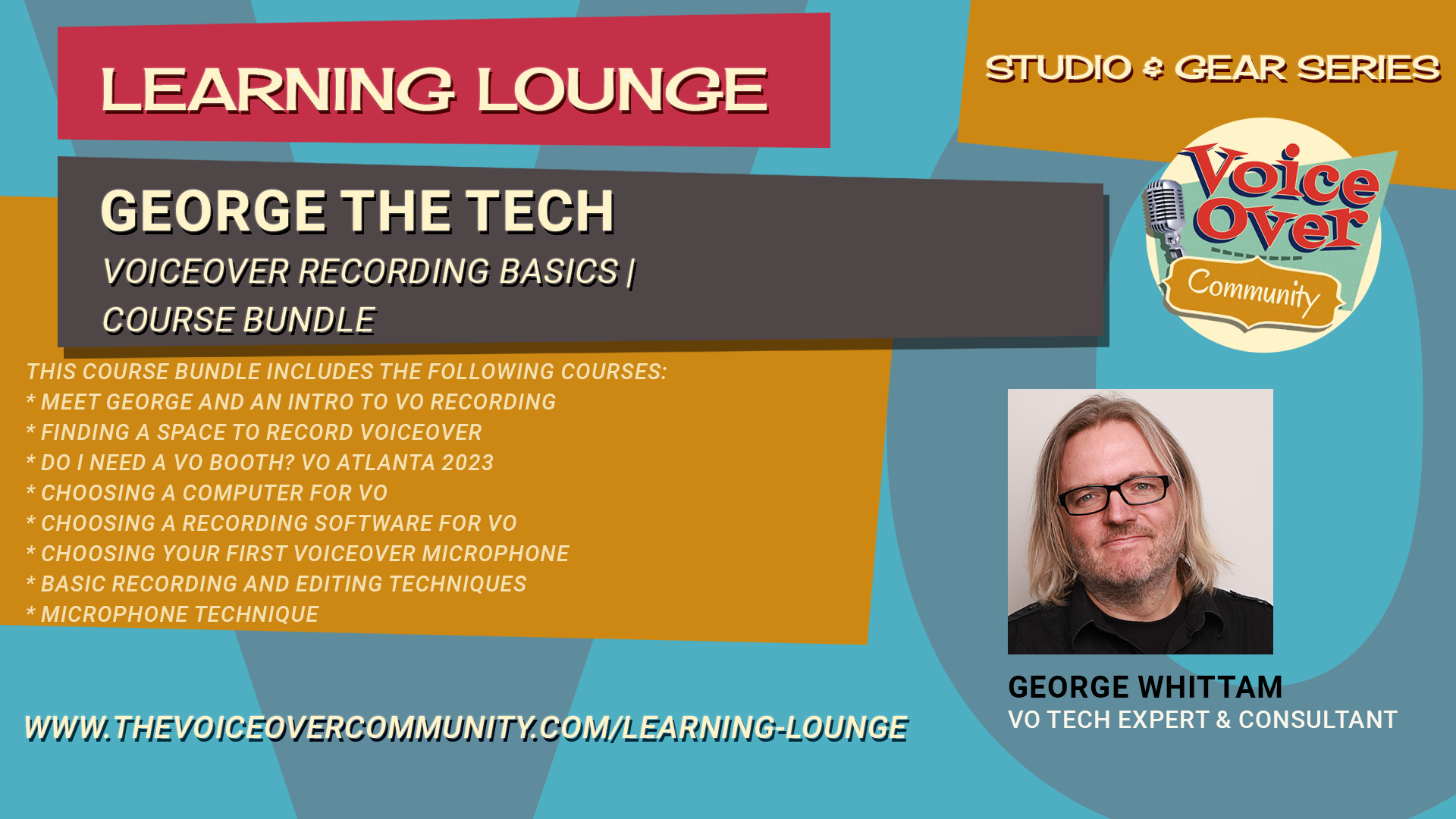
Voiceover Recording Basics | Course Bundle

This course bundle includes the following courses:

Meet George and An Intro to VO Recording

Now more than ever before, a voiceover home studio has become part and parcel to the art and craft of voice acting.  

Gone are the good ol’ days of walking into your agent’s office to be directed and recorded on an audition.

How you start into creation of your personal voiceover studio will determine how much time and money you save or lose.

With this list of Top 10 Things to Know Before Starting Your VO Home Studio…

I hope to steer you in the right direction from the start. Sorry, there is no TL;DR version.

00:00 Introduction to George the Tech

00:24 Essential Elements of a Home Studio

01:20 Importance of Room Acoustics

03:23 Mastering Mic Technique

05:27 Managing Noise Levels

08:28 Choosing the Right Microphone

12:38 Selecting an Audio Interface

14:44 Audio Processing Basics

15:46 Editing Skills for Voiceover

17:19 Recording Software Options

20:37 Choosing the Right Computer

22:49 Staying Organized

23:27 Conclusion and Final Tips

Finding A Space to Record Voiceover

Do you want to learn how to find a recording space for voiceover in your home?

Do you want to know how to avoid common mistakes and get the best sound quality possible?

If so, you need to watch this video! In this video, you will discover the secrets of acoustics and how sound behaves in different spaces.

You will learn how to:

  • Choose the right space for your recording studio, whether it’s a room, a closet, or a booth

  • Eliminate reverb, the unwanted echo that makes your voice sound distant and hollow

  • Use sound blankets, moving blankets, or furniture pads to create a tent that absorbs sound and reduces reflections

  • Avoid resonance or ringing, the annoying noise that occurs when sound waves bounce off hard surfaces in small spaces

  • Find out which blankets and other materials work best for damping sound and creating a dead or dry sound

By following these tips, you will be able to create a professional-sounding recording studio in your home without spending a fortune.  You will also get access to more resources and recommendations that will help you improve your voiceover skills and career.  Don’t miss this chance to learn from George Whittam and set up your own recording studio for voiceover.

Watch this video now and get ready to record!

Do I Need a VO Booth? VO Atlanta 2023

Investing in a voiceover booth? Wait! George the Tech reveals interesting facts about VO booths, soundproofing and much more!

* Understanding the Concept of a Booth

* The Concept of Quiet on Demand

* The Role of Acoustic Treatment

* The Role of Noise Reduction Tools

* The Impact of Microphone Choice on Noise

* Comparing Waves Clarity VX and NS1

* Setting Up Filters and Using Bertom deNoiser

* Understanding the Concept of ‘Too Quiet’

* Editing Techniques for Better Audio

* Understanding the Role of Booths in Audio Recording

* Dealing with Noise from Air Conditioning

Choosing a Computer for VO

Want to learn how to choose the right computer systems for recording your voiceovers?

Learn from an expert who has supported thousands of voiceover actors with their home studios!

Discover the pros and cons of Mac and PC systems, the performance and specifications you need, the audio and software compatibility issues, the portability options, the graphics and display features, and the connectivity options.

Watch this video now and get ready to record!

00:00 Introduction to Choosing the Right Computer for Voiceovers

01:58 Setting Your Budget

03:27 Apple Computers: Pros and Cons

04:18 PCs: What to Watch Out For

06:10 Mac vs. PC: Which is Better for You?

17:03 Performance and Specifications

21:11 Audio Interface Compatibility

25:57 Portability and Display Options

31:31 Connectivity and Ports

32:51 Conclusion and Final Thoughts

Choosing a Recording Software for VO

Do you want to learn how to choose the right software for recording your voiceovers?

Learn from an expert who has supported thousands of voiceover actors with their home studios!

Discover the pros and cons of the most popular options, such as Adobe Audition, TwistedWave, Audacity and Reaper.

Watch this video now and get ready to record!

00:00 Introduction to Voiceover Recording Software

00:53 Popular DAWs for Voiceover

03:30 Adobe Audition Overview

09:55 TwistedWave Overview

15:22 Audacity Overview

20:24 Reaper Overview

25:33 Conclusion and Final Thoughts

Choosing Your First Voiceover Microphone

Do you want to sound like a pro in your voiceover recordings?

Then you need to know how to pick the right microphone for your voice and your booth. Join George as he reveals the secrets of microphone selection and usage for voiceover. He will show you the difference between dynamic and condenser microphones, and how they capture the nuances and flaws of your voice. He will also demonstrate some of the most popular and trusted brands in the industry, such as Audio Technica, Rode, and Shure, and give you tips on how to get the best sound quality from them.

Don’t miss this chance to learn from the expert and boost your voiceover career!

Watch this video now and get ready to record!

00:00 Introduction and Importance of Microphones

00:27 Understanding Microphone Sensitivity

02:25 Dynamic vs. Condenser Microphones

03:21 Testing the Shure SM58 Dynamic Microphone

08:37 Comparing Condenser Microphones: Audio Technica 2035

13:03 Exploring Shotgun Microphones

18:31 High-End Shotgun Microphones: Rode NTG5

25:17 USB Microphones: Rode NT-USB Plus

29:20 Conclusion and Final Thoughts

Basic Recording and Editing Techniques

Learn from George Whittam how to start recording and editing your voiceover. The software used in the training is George’s preference for voice actors, TwistedWave. The techniques will apply to any basic editing software, such as Adobe Audition Waveform mode or Audacity. Covered in this 45 min video are the following concepts: 

  • Setting your input and output devices correctly.

  • Setting your gain or microphone recording levels.

  • Recording in 24 bit-48 kHz, and a single mono channel.

  • Trimming the heads and tails of your recording.

  • Using markers to isolate and edit specific ranges of audio.

  • Editing to preserve breaths to avoid sounding unnatural.

  • Editing a mouth noise. 

  • Room tone pasting for seamless edits. 

  • Normalizing the file before delivering it.

  • Save your raw audio files in WAV or MP3 format. 

  • Processing audio guidelines for auditions.

Microphone Technique

Do you want to learn microphone techniques for optimal sound recording quality?

George the Tech discusses the importance of proper microphone placement, demonstrates various mic setups (both positive and negative), and explains how the direction of speaking into the mic affects the recording. Other topics include managing plosives (consonant sounds that can cause audio issues), differences between varying microphone types, and corrective measures for common microphone mistakes.

Watch this video now and get ready to record!

00:00 GTT Module: Microphone Technique

00:03 Intro

01:03 Above and upside down

02:24 Off-axis

04:55 Proximity

05:45 Plosives

06:45 Distance

09:20 Floor stand (no boom)

11:33 Correct side of the mic

13:31 The wrong side of the mic

14:43 Shotgun mics

16:32 What it’s supposed to sound like!

Practical Personal Studios

Practical, Personal Studios for Voice Actors with George The Tech. George cuts through the Facebook noise and lays down the keys to successful home voiceover recordings.

You’ll learn about:

  • Acoustics
  • Booth design
  • Mic placement
  • Mic choice
  • PC choice
  • Audio Interfaces
  • Accessories
  • Software
  • Processing Auditions

Universal Audio Apollo for Voiceover Series | Course Bundle

This course bundle includes the following courses:

Universal Audio Apollo for VO

Unlock the true potential of the Apollo in your voiceover studio!

There’s a LOT more going on “under the hood” than your typical audio interface. During this 2 hours webinar by George Whittam, you’ll see and hear the Apollo setup for optimal productivity in an actor’s studio. The focus will be on the Apollo Twin, but most of what we cover is relevant to the more limited Apollo Solo and the more sophisticated Apollo rack-based hardware.

Agenda:

  • Comparing Apollo hardware systems
  • Installing the Apollo hardware and console software
  • Hardware orientation
  • Console orientation
  • Console settings
  • Adding and managing plugins
  • Signal routing for recording from 2 different mics
  • Controlling monitoring
  • Sending playback to the client
  • Using with web browsers
  • Using with Zoom (and all of its quirks)
  • Using with Source Connect
  • Participant submitted topics
  • 30 mins of Q&A

Universal Audio Apollo, Advanced Techniques 2023

Have been wondering what techniques you’re missing out on that would save you time, improve your finished production, and MAKE MORE MONEY??

George will share you the latest tools and techniques that can revolutionize your workflow and make you more productive in the studio than ever before! 

Products to be covered in this don’t miss event include:

  • Comparing Apollo hardware systems- Apollo Solo’s Virtual Channel weakness
  • What’s new the latest UAD software?
  • Console optimization
  • Console settings
  • Forcing playback and system sound into Virtual Channels
  • The best I/O Matrix for VO broadcast
  • The best I/O Matrix for Podcasters
  • UAD plugins worth a demo
  • Signal routing for recording from 2 different mics and Zoom playback
  • Setting up Zoom correctly, once and for all! (Zoom 5.15)
  • Chrome madness!! 
  • Controlling headphone mixes
  • Taming monitors for zero feedback
  • A headphone monitor chain to enhance your promo/trailer/radio performance
  • 30 mins of Q&A

Universal Audio Apollo, Tips and What’s New for 2024

Have been wondering what UAD techniques you’re missing out on that would save you time, improve your finished production, and save your sanity? 

Have you installed UA Connect, but haven’t a clue why and what to use it for? Did the new Console appear and now you’re feeling disoriented? Did you know you can use many of the same UAD plugins WITHOUT the Apollo hardware for a lighter, simpler travel setup?  

George Whittam has you covered during this 2 hour event!

Prerequisites:

  • Recommended Webinar: Universal Audio Apollo for VO

Agenda:

  • What’s new for Apollo in Summer 2024
  • The latest UAD Console orientation
  • Console settings
  • Dealing with MacOS Sonoma problems
  • Windows: USB vs Thunderbolt Apollo 
  • Apollo Solo: Picking efficient plugins that won’t overload the DSP
  • C-Suite C-Vox: Stacking for maximum noise and room repair
  • Travel without Apollo: UADx plugins are native! 
  • More Chrome madness!!

TwistedWave for Voiceover Series | Course Bundle

This course bundle includes the following courses:

TwistedWave for Mac 2021, The Basics and What’s NEW!

George hasn’t created a TwistedWave webinar or tutorial in years. Finally, it’s time to get up to speed with TwistedWave in 2021.

While much hasn’t changed about the look and interface (one of the many beauties of TW), there are MANY killer features that have surfaced in the last few years that we’ll cover, along with the “getting started” basics.

This webinar is intended for any voice actor who would like to start using TwistedWave with little to no experience with any recording software. George will cover topics specific to the needs of voice actors or anyone recording spoken work. This webinar does not cover multi*track recording production techniques for music, podcasts or video post.

Prerequisites:

Mac OS 10.6.8 or higher (not for iOS)

Audio interface

Microphone (or USB mic)

Headphones

Agenda:

*Introduction to TwistedWave

*Getting a demo or purchasing TwistedWave

*New Features

*Using TwistedWave in “Rosetta mode” on Mac M1

*Configuring your audio hardware

*Other helpful settings in the Preferences section

*Learning the user interface

*Customizing the button bar

*Handy keyboard shortcuts and how to make them

*Recording settings

*Recording audio and setting levels with the meter

*Basic editing tools

*Special Paste with room tone, editor’s secret weapon

*Effects Stacks, a primer

*File formats for saving, MP3 settings
*up to 30 mins of Q n A

TwistedWave Advanced Guide to VO Recording

Dive deep into Twisted Wave, exploring advanced recording techniques including the classic clicker method vs. punch and roll. We’ll discuss noise floor measurements, the usefulness of markers, and how to use the effects menu efficiently. George also highlights new premium features like speech recognition and video editing. 

We’ll look into some missing functionalities and recommended third-party plugins, as well as tips on building stacks and utilizing batch processing. Plus, we’ll touch on mastering techniques for auditions and audiobook production. Stay tuned for comprehensive insights and practical demonstrations!

Agenda:

00:00 Introduction and Overview

00:13 Recording Techniques: Clicker Method

00:23 Punch and Roll Recording

00:28 Noise Floor Measurement

00:39 Markers: Usage and Benefits

00:48 Detecting Silences: Pros and Cons

00:56 Exploring the Effects Menu

01:03 Premium Features in TwistedWave

01:27 Missing Features in TwistedWave

01:46 Spot Fixing vs. Global Processing

02:21 Mastering Techniques

02:58 Mastering for Audiobooks

03:27 Demonstration: Recording Techniques

07:18 Punch and Roll: Practical Guide

17:04 Markers: Advanced Tips

32:47 Spot Fixing: Detailed Techniques

42:57 Introduction to Non-Destructive Editing

43:17 Dealing with Keyboard Noise

44:11 Spot Fixing vs Global Processing

44:31 Removing Plosives

46:07 Using High Pass Filters for Plosives

50:24 Avoiding Discontinuities in Audio

55:44 Exploring the Effects Menu

01:14:08 Speech Recognition in Twisted Wave

01:24:14 Video Editing Features

01:27:38 De-Essing Tools and Alternatives

01:29:52 Advanced Noise Reduction Techniques

01:31:48 Multitrack Mixing Limitations

01:33:03 Affordable and Free Plugins

01:39:22 Measuring Room Tone Accurately

01:43:27 Building and Managing Effect Stacks

01:52:09 Batch Processing in Twisted Wave

02:03:53 Q&A Session

TwistedWave Dynamics

Dig in to dynamics with George Whittam!

George will walk you through the essentials of dynamics processing in TwistedWave, focusing on Apple’s built-in audio units. Learn to control audio from very quiet to very loud using tools like normalize, dynamics processor, multiband compressor, and peak limiter. Understand how these plugins work, how to adjust them, and how they affect your audio. 

Perfect for voiceover artists, musicians, and audio enthusiasts looking to polish their sound. Learn how to use compressors, downward expanders, and limiters to your maximum benefit.

Plugins covered include:

AUDynamics

AUPeakLimiter

Agenda:

00:00 Introduction to TwistedWave Dynamics Processing

00:38 Exploring Apple Audio Unit Plugins

01:16 Overview of Dynamics Processing Tools

02:08 Recording and Normalizing Audio

04:05 Understanding Peak and RMS Normalization

08:08 Introduction to Compressors and Limiters

08:38 Using the Dynamics Processor

12:13 Experimenting with Compression Settings

22:14 Exploring the Expander Function

31:50 Peak Limiter Explained

38:22 Conclusion and Upcoming Modules

TwistedWave Equalizers

Get the rundown on how to use specific processing tools in your software, starting with how to use the equalizers, the tone controls, and the EQ settings for TwistedWave for Mac OS.

Join George as he provides a detailed tutorial on using various EQ (equalizer) settings and tone controls in TwistedWave for Mac OS. Discover the effects menu and built-in audio units plugins that come with every Mac, including AU Filter, AU Graphic EQ, AU High Pass, AU N Band EQ, AU Parametric EQ, and AU Multiband Compressor. Learn the functions and applications of each tool, from basic adjustments to more advanced techniques, to enhance your audio recordings.

Agenda:

00:00 Introduction to Audio Processing Tools

00:30 Exploring Built-in Mac Audio Plugins

02:28 Understanding the AU Parametric EQ

08:44 Mastering the High Pass Filter

15:54 The Low Pass Filter Explained

16:42 Getting Familiar with the Graphic EQ

23:30 Diving into the N Band EQ

32:23 Discovering the AU Filter

36:26 Bonus: Multiband Compressor Overview

38:15 Conclusion and Upcoming Videos

Reaper for Voiceover Series | Course Bundle

Reaper for Voiceover | Beginners with Steven Gonzales

We’re welcoming master of Reaper Steven Gonzales to teach this two part webinar with GTT!

This Beginners class will educate voice actors about using the powerful and customizable DAW Reaper to record their voiceover audio. 

Steven Gonzales has been a professional audio engineer since 1987 and a voice talent specializing in e-Learning since 2005. He started VO audio engineering in 2007. His first digital audio workstation (DAW) was Cool Edit… all versions! He has also used such DAW’s as Pro Tools, Adobe Audition, TwistedWave, Audacity, Soundforge, and others.

During his time as a Mardi Gras Ball DJ, Steven used WinAmp. In 2006, the creators of WinAmp, now known as Cockos, launched their own DAW, REAPER, which he discovered about ten years ago and decided to give it a try. He never looked back. Steven continues to use REAPER as his go-to DAW. He has used his experience and research to help others either launch their VO career using REAPER or to assist established voice talent in migrating to it.

Learn more about Steve Gonzales

Website: https://stevengonzalesvo.com/

Facebook: https://www.facebook.com/stevengonzalesvo

LinkedIn: https://www.linkedin.com/in/stevengonzalesvo/

Topics covered in Beginner Webinar:

  • What is REAPER? Why is it all in caps when you see it in the website?

  • What is “non-destructive” editing? 

  • Downloading, installing and “purchasing” REAPER

  • Keeping REAPER updated (or should you?)

  • Configuring your audio hardware

  • Helpful settings in Project Settings and Preferences (just the basics)

  • Learning the user interface

  • Setting levels with the meter

  • Setting up Reaper for efficient voiceover recording and editings

  • Handy keyboard shortcuts

  • Recording Audio, Pickups, and Punch and Roll

  • The Basic REAPER Project Structure

  • Basic editing tools

  • Pre vs. Post FX Chains

  • The Render window: how to give what the client wants

  • File formats for saving, MP3 settings
Reaper for Voiceover | Advanced with Steven Gonzales

We’re welcoming master of Reaper Steven Gonzales to teach this two part webinar with GTT!

This Advanced class is for voice actors and audio producers who are comfortable with Reaper but want to learn more ways to streamline production and make use of FX processing.

Steven Gonzales has been a professional audio engineer since 1987 and a voice talent specializing in e-Learning since 2005. He started VO audio engineering in 2007. His first digital audio workstation (DAW) was Cool Edit… all versions! He has also used such DAW’s as Pro Tools, Adobe Audition, TwistedWave, Audacity, Soundforge, and others.

During his time as a Mardi Gras Ball DJ, Steven used WinAmp. In 2006, the creators of WinAmp, now known as Cockos, launched their own DAW, REAPER, which he discovered about ten years ago and decided to give it a try. He never looked back. Steven continues to use REAPER as his go-to DAW. He has used his experience and research to help others either launch their VO career using REAPER or to assist established voice talent in migrating to it.

Learn more about Steve Gonzales

Website: https://stevengonzalesvo.com/

Facebook: https://www.facebook.com/stevengonzalesvo

LinkedIn: https://www.linkedin.com/in/stevengonzalesvo/

Topics covered in Advanced Webinar:

  • File Organization while using REAPER

  • Building and Using Various Templates

  • Multi-Track Projects

  • Markers and Regions

  • Folder Tracks

  • Setting up Effective FX Chains

  • Custom Actions

  • Eliminating Breaths… or at least Mitigating Them

  • Razor Editing

  • Controllers (like the Contour Design ShuttlePro v2)

  • Using fades/crossfades effectively

  • Tastefully using time stretching

  • Rendering Different Sound Files at the Same Time

Adobe Audition for Voiceover Series | Course Bundle

Adobe Audition 2022 – The Basics for VO 

This webinar is intended for any voice actor who would like to start using Audition with little to no experience with Adobe Audition or any Adobe products. George will cover topics specific to the needs of voice actors or anyone recording spoken work. New features introduced in 2022 will be highlighted in this presentation.

This webinar does not cover multi-track recording production techniques for music, podcasts, or video.

Prerequisites:

  • Windows 10, 11
  • Mac OS Mojave or higher
  • Audio interface
  • Microphone (or USB mic)
  • Headphones

Agenda:

  • Introduction to Adobe’s Creative Cloud
  • Getting a demo or purchasing Adobe Audition
  • Installing Audition
  • What’s new in Audition 22 aka 2022 (current v. 2022.6)
  • Using Audition in “Rosetta mode” on Mac Silicon, and why
  • Configuring your audio hardware
  • Other helpful settings in the Preferences section
  • Learning the user interface
  • Workspaces
  • Waveform editor
  • Multitrack editor (what’s this for?)
  • Handy keyboard shortcuts
  • Recording settings
  • Recording audio and setting levels with the meter
  • Basic editing tools
  • Mix Paste with room tone, editors secret weapon
  • Effects Rack
  • File formats for saving, MP3 settings
Adobe Audition 2022 Advanced for VO 

This webinar is intended for any voice actor that wants to go deeper into the features and customization of Adobe Audition. George will cover topics specific to the needs of voice actors or anyone recording spoken word.

Preparation:

  • Audition user experience or Audition for VO Primer Webinar

  • Windows 10, 11

  • Mac OS High Sierra or higher 

  • Audio interface 

  • Microphone (or USB mic) 

  • Headphones

AGENDA:

  • Custom Workspaces for productive editing

  • Creating favorites that save more time

  • Batch processing

  • Handy keyboard shortcuts

  • Working in Multi-track, basics and beyond

  • The power of Audition plugins 

  • Spectral view magic 

  • up to 30 mins of Q&A

Adobe Audition Dynamics 

Learn to use all of the dynamics processing plugins included with Adobe Audition CC (2017 and newer). Dynamics processing controls how much your voice and room tone will change in volume from the loudest to the softest sounds. For example: You can keep those “spikes in your waveform” at bay with a compressor, tame sibilance with a de-esser, and make the finished audio sound louder with a limiter.

George will show you how to tune each plugin with examples you can hear in full studio quality.

You’ll know how to set your plugins quickly for good results, and have a better understanding of what controls in each plugin down and how they affect the sound.

Here are all of the different dynamics plugins you’ll learn in this training module:

  • Amplify

  • De-esser

  • Dynamics

  • Dynamics Processing

  • Fade Envelope

  • Gain Envelope

  • Hard Limiter

  • Multiband Compressor

  • Normalize

  • Single-band Compressor

  • Speech Volume Leveler

  • Tube-modeled Compressor

Adobe Audition Equalizers

Learn to use all of the equalizer and tone processing plugins included with Adobe Audition CC (2017 and newer). EQ processing controls how different parts of your voice sound, from low chest resonance to crips detail. For example: Reduce annoying “rumble” with a high-pass filter, add richness to the voice with a graphic EQ, and make surgical adjustments with a parametric EQ. 

George will show you how to tune each plugin with examples you can hear in full studio quality.  You’ll know how to set your plugins quickly for good results, and have a better understanding of what controls in each plugin down and how they affect the sound. 

Here are all of the different EQ plugins you’ll learn in this training module:

  • FFT Filter

  • Graphic EQ (10, 20, and 30 bands)

  • Notch Filter

  • Parametric EQ

  • Scientific Filter

  • Mastering EQ

  • Vocal Enhancer

  • Bonus: Multiband Compressor (a secret EQ!)

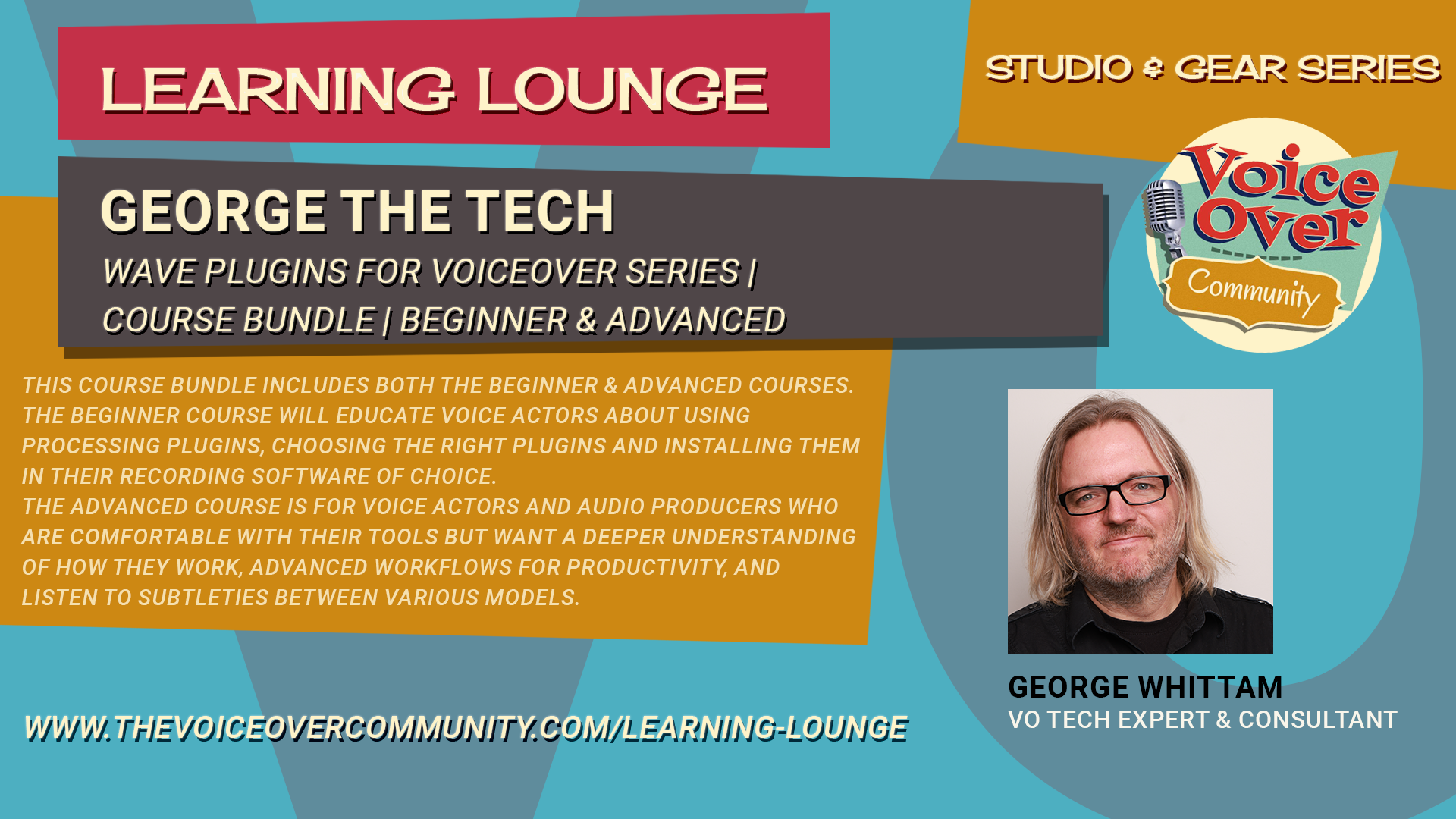
Wave Plugins for Voiceover Series | Course Bundle

Webinar: WAVES Solutions for Voiceover (Beginners)

Get a better understanding of Waves plugins useful for voiceover (Beginner)

We’re welcoming back Michael Pearson-Adams of Waves Audio to teach a two part webinar with GTT!

This class will educate voice actors about using processing plugins, choosing the right plugins and installing them in their recording software of choice. If you’ve never used a processing plugin from Waves before and are curious about how they can be used to enhance your audio, this is the perfect webinar for you. 

MPA knows the ins and outs of every single Waves audio processing plugin, and knows his way around a world-class recording studio, as well as how to help the beginner or seasoned professional make the best use of their tools. George Whittam will host Michael and guide you through the webinars. 

Topics covered in this Beginner Webinar:

  • What are audio plugins?
  • What makes Waves Audio plugins some of the best in the business?
  • How do you demo or buy a Waves plugin?
  • How do you install a Waves plugin in the most popular recording software such as TwistedWave, Adobe Audition, Audacity and Reaper? 
  • Which plugins should I consider to begin with for VO?
  • Why are there so many different types of each tool, such as EQ, compression, and noise reduction?
  • Which noise reduction is best for my needs?
  • What does Clarity VX do? 
  • How can a One Knob processor be any good? 
  • What can Manny Marroquin Triple D do to smooth my voiceover sound? 
  • Demonstration of select plugins so you can hear the results
  • Q n A for our VIP’s throughout the class 

Who is MPA?

MPA is a man on a mission. He’s an artist, entrepreneur, speaker, coach, and mentor who has dedicated his life to the pursuit of creativity.

As someone who has been both successful and unsuccessful at various points in his life, Michael has turned the definition of the word ‘pivot’ into an art form, and through his speaking and training shares what it takes to be your best self while empowering others through their own creative journeys.

He’s spoken and taught on stages around the world and trains his clients how to take their skills and talents and make themselves shine.

Michael runs MPA Creative Coaching and MPA Fine Art Galleries. He is also Director of Training Development at Waves Audio, as well as a Product Manager at Waves Audio, one of the foremost audio processing software companies in the world.

You can learn more about Michael at michaelpa.com and more about his award-winning art at mpafineart.com. You can learn more about Waves Audio at waves.com

Webinar: WAVES Solutions for Voiceover (Advanced)

Get a better understanding of Waves plugins useful for voiceover (Advanced)

We’re welcoming back Michael Pearson-Adams of Waves Audio to teach a two part webinar with GTT!

This class is for voice actors and audio producers who are comfortable with their tools but want a deeper understanding of how they work, advanced workflows for productivity, and listen to subtleties between various models.

MPA knows the ins and outs of every single Waves audio processing plugin, and knows his way around a world-class recording studio, as well as how to help the beginner or seasoned professional make the best use of their tools. George Whittam will host Michael and guide you through the webinars. 

Topics covered in this Advanced Webinar:

  • Exploring the Waves bundles 
  • Clarity VX Pro
  • Compare C4 & C6 Multiband compressor, Linear phase multiband compressor, and F6 Floating-Band Dynamic EQ
  • Compare DeEsser, Renaissance DeEsser, and Sibilance 
  • CLA compressors and limiters 
  • MV2 high and low level compressor vs Vocal Rider
  • DeBreath (when can it be used effectively) 
  • Channel strips, one plugin for all? AudioTrack, API, SSL
  • EQ options
  • StudioRack to build custom chains for any DAW
  • Demonstration of select plugins so you can hear the results
  • Q&A for our VIP’s throughout the class

Who is MPA?

MPA is a man on a mission. He’s an artist, entrepreneur, speaker, coach, and mentor who has dedicated his life to the pursuit of creativity.

As someone who has been both successful and unsuccessful at various points in his life, Michael has turned the definition of the word ‘pivot’ into an art form, and through his speaking and training shares what it takes to be your best self while empowering others through their own creative journeys.

He’s spoken and taught on stages around the world and trains his clients how to take their skills and talents and make themselves shine.

Michael runs MPA Creative Coaching and MPA Fine Art Galleries. He is also Director of Training Development at Waves Audio, as well as a Product Manager at Waves Audio, one of the foremost audio processing software companies in the world.

You can learn more about Michael at michaelpa.com and more about his award-winning art at mpafineart.com. You can learn more about Waves Audio at waves.com

Register Forgot PasswordResend activation code
Sponsored Content
Sponsored Content

Recent Posts

  • It’s Not About The Voice Talent
  • What’s Old is New Again
  • The Myth of The Gatekeeper
  • AI: An Opinion
  • You Are Your Greatest Investment
Sponsored Content

Community Hashtags

No hashtags
Sponsored Content

Online Members

Sponsored Content

Archives

Recent Learning Lounge Courses
Adobe Audition for Audiobooks 2024

Adobe Audition for Audiobooks 2024

1
2h15m
George Whittam
By George WhittamIn Gear & Studio Design
$59.00
Add to cart

Latest Members

Community Calendar

Latest Gear Listings

Sample Posting
Honolulu, HI 96795
$7,000,000.00
Sponsored Content

Community Posts By Date

July 2026
MTWTFSS
 12345
6789101112
13141516171819
20212223242526
2728293031 
« May    
Sponsored Content

Advertising

  • Advertising Inquiry
  • Community Calendar
  • Gear Exchange

Support

  • About
  • FAQ
  • Contact

Community Policies

  • General Rules
  • Privacy Policy
  • Cookie Policy
  • Terms and Conditions
The VoiceOver Community, LLC
© 2019-2026 | The Voiceover Community, LLC | All rights reserved